
Every Schlage lock battery is a standard size: four AA alkaline batteries in the smart locks (Encode, Encode Plus, Arrive, Sense Pro and Connect), and one 9V alkaline battery in the Keypad and Touch locks. Changing them takes a couple of minutes and doesn’t erase your codes. The one thing to get right is the type: Schlage says its locks aren’t compatible with lithium batteries.
This guide covers which battery your model takes, how to change it, how long it should last, and how to get in if it dies, with the details from Schlage’s own support pages.
Quick Answer
- Encode, Encode Plus and Encode Lever: 4 AA alkaline batteries, about 6 months per set.
- Arrive and Sense Pro: 4 AA alkaline batteries, up to about 6 months.
- Connect: 4 AA alkaline batteries. Schlage doesn’t publish a battery life figure for it.
- Keypad and Touch locks: one 9V alkaline battery, about 2 years, but Schlage recommends a new one every year.
- Avoid lithium and rechargeable batteries. They can die without the usual low battery warning.
- Your codes stay on the lock when you change the batteries.
Which Battery Does Your Schlage Lock Take?
Schlage’s battery chart splits its locks into two groups:
| Lock | Batteries | Expected battery life | If the batteries die |
|---|---|---|---|
| Encode and Encode Plus (BE489, BE499) | 4 AA alkaline | 6 months | Use the key |
| Encode Lever (FE789) | 4 AA alkaline | 6 months | Use the key |
| Arrive (BE459) | 4 AA alkaline | Up to 6 months | Use the key |
| Sense Pro (BE889) | 4 AA alkaline | About 6 months | USB-C jump start |
| Connect (BE469ZP, BE469, BE468) | 4 AA alkaline | Not published | Use the key |
| Keypad Deadbolt and Levers (BE365, FE575, FE595) | One 9V alkaline | About 2 years | Use the key |
| Touch Deadbolt and Lever (BE375, FE695) | One 9V alkaline | About 2 years | 9V jump start |
The older Sense (BE479) also takes 4 AA alkaline batteries. Our guide to the best keypad door locks shows what the Keypad and Touch locks look like, if you’re not sure which one you have.
Why alkaline matters. Schlage says lithium batteries “can lead to battery drain issues and affect lock performance”. The bigger problem is the warning: lithium cells hold their voltage until the very end and then fail quickly, so the lock may not show a low or critical battery alert first. Schlage doesn’t recommend rechargeable batteries either, because of their lower capacity. Its advice is simple: high-quality, name-brand alkaline batteries.
These two packs fit the bill and are sold by Amazon:
Duracell Coppertop AA Batteries — Best for 4-AA Schlage Locks
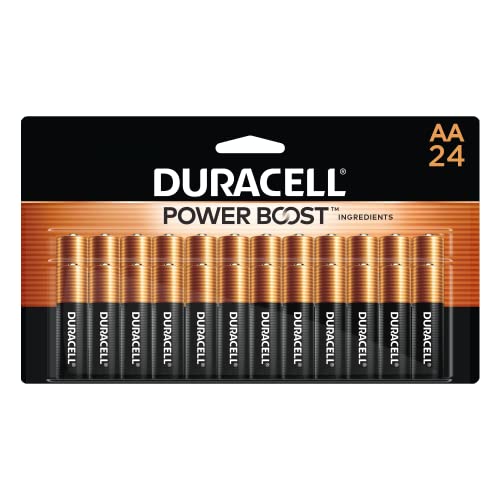
A 24-pack of name-brand alkaline AA batteries, which is six full changes for an Encode, Arrive, Sense Pro or Connect. That’s about three years of spares for one lock at Schlage’s six-month estimate.
Best for: the Encode, Encode Plus, Encode Lever, Arrive, Sense Pro and Connect.
Price: ~$24 (for a 24-pack)
Energizer MAX 9V Batteries — Best for Keypad and Touch Locks

A 4-pack of alkaline 9V batteries: one for the lock now, one to keep for a jump start, and spares for the next yearly changes.
Best for: the Keypad Deadbolt (BE365), Keypad Levers (FE575, FE595) and Touch locks (BE375, FE695).
Price: ~$17 (for a 4-pack)
How to Change the Battery in a Schlage Lock
A Schlage battery replacement is done from inside the house, and you don’t need to reprogram anything afterward. Schlage says changing the batteries shouldn’t affect the lock’s programming. The exception is a lock that has been without power for a long time, which may reset, so don’t leave it without batteries for days.
One warning before you start: the battery holder connects to the lock with a short wire. If that wire breaks, Schlage says it isn’t a replaceable part and the lock has to be replaced, so don’t pull the holder out by force.
Encode, Encode Plus, Encode Lever, Arrive and Sense Pro
Here’s how to change the battery in a Schlage lock from this group. The steps are the same on all five:
- Take off the battery cover on the inside part of the lock.
- Gently slide the battery holder up and out of the lock.
- Turn the holder around and put in four new AA alkaline batteries.
- Turn the holder back so it faces the door, then slide it back in.
- Put the battery cover back on.
If the Schlage Home app still shows a battery warning after the change, Schlage’s help center suggests a soft reset (battery tray out for 10 seconds). Our guide on how to reset a Schlage lock has the soft reset steps.
Schlage Connect
- Slide the black battery cover on the inside of the lock up and off.
- Unsnap the battery connector (the short wire) from the battery tray.
- Take out the tray and replace the four AA batteries.
- Put the tray back with the batteries facing the door.
- Snap the connector back onto the tray and slide the cover back on.
The small hole in the Connect’s battery cover is its speaker, so don’t add a screw there.
Schlage Sense
On the discontinued Sense (BE479), take off the battery cover, disconnect the wire from the battery pack, remove the holder and put in four new AA alkaline batteries. Then reconnect the wire and put the holder and cover back.
Keypad and Touch Locks
These run on one 9V battery behind the inside cover. You’ll need a Phillips screwdriver for the Keypad Deadbolt:
- Take off the inside cover. On the Keypad Deadbolt (BE365), remove the two screws first; on the Touch Deadbolt, slide the cover up.
- Disconnect the old 9V battery and connect a new alkaline one.
- Tuck the wires back in so they don’t get pinched.
- Put the cover (and screws) back on.
Schlage suggests changing it once a year, at the same time you test your smoke alarms.
How Long a Schlage Lock Battery Lasts
Schlage rates the Encode Series (Encode, Encode Plus and Encode Lever) at 6 months per set and calls anything shorter poor battery life. The Arrive and Sense Pro are rated at up to about 6 months, and Schlage treats 4 months or less as a problem on those. The 9V Keypad and Touch locks last about 2 years, though very hot or cold weather shortens that.
If a set doesn’t last that long, Schlage lists the same few causes for all of its Wi-Fi locks:
- Weak Wi-Fi. A lock with a poor signal keeps searching for the network, which drains the batteries. You can check the lock’s Wi-Fi signal in the Schlage Home app. Our guide on why a smart lock won’t connect covers how to improve it.
- Lost Wi-Fi. An Encode that was never set up on Wi-Fi (Bluetooth only) doesn’t search, so its battery life isn’t affected. But one that was on Wi-Fi and lost the connection keeps searching, so reconnect it or reset it.
- Two apps at once. Schlage says an Encode Plus or Sense Pro paired with both Schlage Home and Apple Home talks to both and uses the batteries faster. Its fix is to remove the lock from both, factory reset it and pair it with just one. Our Encode vs Encode Plus comparison explains what you get in each app.
- Heavy use. Schlage considers 10-15 lock and unlock cycles a day normal for an Encode, and 35-40 a day the point where an Arrive or Sense Pro starts to drain faster.
- The wrong batteries. Lithium, rechargeable and cheap alkaline batteries all shorten the time between changes. For the Schlage Encode battery, Schlage’s first fix is name-brand alkalines.
Schlage also says the Encode Series can’t be hardwired to save batteries, and trying it voids the warranty.
How to Tell the Battery Is Low
The Schlage Home app logs a low battery alert in the lock’s history at 20% and a critical alert at 8%. To see the exact level, open the app, tap the three dots next to the lock, and the battery percentage is in the menu.
The lock itself warns you too, in a different way on each model:
- Encode Series: a battery icon flashes on the touchscreen after you enter a code. A red battery icon before it locks or unlocks means the batteries are critically low.
- Connect: a flashing yellow dot and a short delay before the bolt moves mean the batteries are low. Red X’s flashing when you press the outside Schlage button mean they’re critically low.
- Keypad locks: the Schlage button flashes red three times before turning green after a valid code. If it blinks red without anyone entering a code, change the battery right away.
- Touch locks: a battery indicator lights after you unlock with a code, and a flashing red battery icon means it’s critically low.
- Sense Pro: a low battery warning on the touchpad and in the app.
A red light on every key press, or a keypad that doesn’t light up at all, usually means the batteries are close to dead.
If the Battery Dies
A dead Schlage lock battery doesn’t lock you out, but how you get in depends on the model. Schlage’s locks run on batteries only, so a power outage doesn’t affect them.

- Use the key. The Encode Series, Arrive, Connect and Keypad locks have a keyhole. Schlage says the Encode can’t be jump-started, so the key is the only way in. Don’t leave it inside the house.
- USB-C on the Sense Pro. It doesn’t have a keyhole. Move the rubber cover on the bottom of the outside touchpad and plug in a phone, power bank, laptop or USB-C charger, then unlock with a code or your phone. An iPhone with a Lightning port won’t work.
- 9V on Touch locks. Hold a new 9V alkaline battery to the contacts below the touchscreen and wait for the long beep. Keep it there, enter your code and turn the thumbturn toward the hinges. Then replace the dead battery inside.
If you use an Apple home key on an Encode Plus or Sense Pro, your iPhone can still unlock it for up to five hours after the phone’s own battery dies, as long as Express Mode is on. Our guide to Apple home key locks explains how that works.
The Bottom Line
A Schlage lock battery change is a few minutes’ job: four AA alkaline batteries for the smart locks, or one 9V for the Keypad and Touch locks. Use name-brand alkalines, never lithium, and expect about 6 months from the Encode, Arrive and Sense Pro. If a set dies much sooner, check the Wi-Fi signal and make sure the lock is paired with only one app. If you also have a Kwikset, our Kwikset smart lock battery guide covers those models. Schlage keeps its own battery chart for every model, and if you’re replacing the lock, our Schlage vs Kwikset comparison covers the current models.
What battery does a Schlage lock take?
The Encode, Encode Plus, Encode Lever, Arrive, Sense Pro and Connect take four AA alkaline batteries. The Keypad and Touch locks take one 9V alkaline battery. Schlage says its locks aren’t compatible with lithium batteries.
How long does a Schlage Encode battery last?
Schlage rates the Encode, Encode Plus and Encode Lever at about 6 months per set of four AA alkaline batteries. Weak Wi-Fi, heavy use and an Encode Plus paired with both Schlage Home and Apple Home make them run down faster.
Will I lose my codes when I change the batteries in my Schlage lock?
No. Schlage says changing the batteries shouldn’t affect the lock’s programming. A lock left without power for a long time may reset, so put the new batteries in right away.
Can I use lithium or rechargeable batteries in a Schlage lock?
Schlage doesn’t recommend either. Lithium batteries fail quickly at the end of their life and may not trigger the low battery alert, and rechargeable batteries have less capacity. Use high-quality alkaline batteries.
How do I open a Schlage lock with a dead battery?
Use the key on the Encode, Arrive, Connect and Keypad locks. The Sense Pro doesn’t have a keyhole, so plug a phone or power bank into its USB-C port. On a Touch lock, hold a new 9V battery to the contacts below the touchscreen and enter your code.

Written by Evan Mercer
Founder & Lead Researcher, Smart Home Matrix
Evan digs through spec sheets, firmware changelogs, and thousands of owner reviews so you don’t have to. Every guide starts with a compatibility check and ends with picks he would install in his own home. Read more about Evan and this site, or see exactly how we choose products.